A first machine is not judged on its biggest number. It is judged on whether it sets up in ten minutes, keeps working in month six, and can be fixed rather than replaced.
By Scooter M., Enthusiast - published September 6, 2026
We have not tested these machines. Everything here comes from published specifications, manufacturer manuals and retailer listings, all cited below. Prices last verified September 21, 2026.
How this is funded: if you buy through a link here we may earn a commission, at no extra cost to you. It does not change which machines we recommend or what we say about them. Full disclosure.
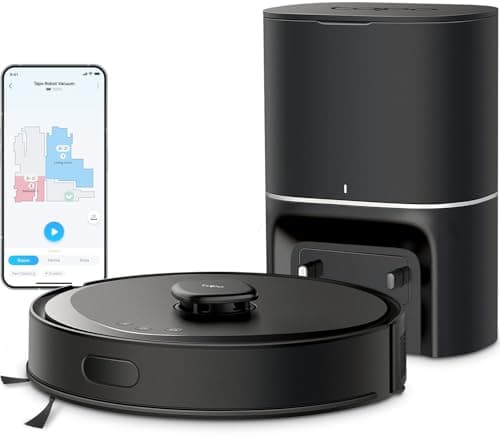
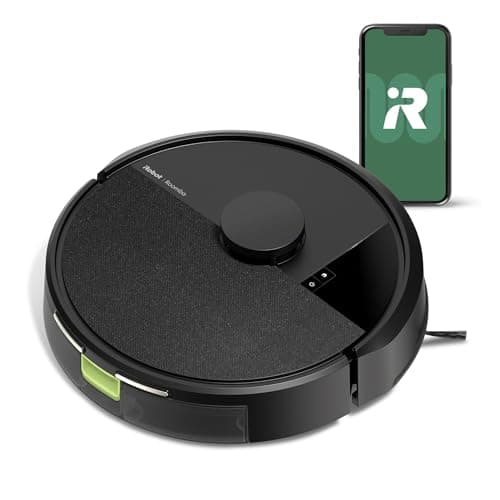
For a first robot vacuum, buy the iRobot Roomba 105 Vac. It has genuine LiDAR mapping so it will finish a run and take keep-out zones, it uses the most mature app in the category, and iRobot will still be selling parts for it in five years. If you want it to empty itself too, the Tapo RV30 Max Plus is the next step up; if you want no app at all, the eufy 11S MAX connects to nothing by design.
Beginner buying advice in this category is usually just the general ranking with the word beginner in the headline. It should not be. The specifications that decide a first purchase are different from the ones that decide a third, so this page ranks on those instead - and says so before it names anything.
#
Product
Best for
Score
Price
01
iRobot Roomba 105 VacThe lowest price at which you can buy genuine LiDAR mapping from a company that has been doing this for twenty years. It publishes no suction figure.
#ad No live price for this one as of September 21, 2026. How we are funded
03
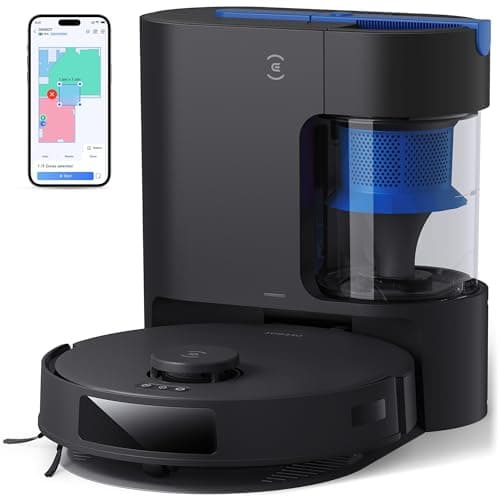
Ecovacs DEEBOT N20 PlusA self-emptying dock with no bag in it. Over three years that is the difference between this and everything else here, and it is not close.
Scores come from the published rubric on How We Pick: suction 25%, navigation 25%, pet hair 20%, running cost 20%, setup 10%. They are editorial judgments about published specifications, not test results.
The four criteria this page ranks on
1. Does it set up without a fight? Every machine here pairs over 2.4 GHz Wi-Fi, and every machine here can fail to pair if your router hands it the 5 GHz band. The brands with mature apps handle this with a clear prompt; the ones without leave you reading a forum. This is the single most common first-day frustration in the whole category.
2. Will it finish the job unattended? A machine with a map cleans in rows and knows what it has covered. A machine without one wanders until the battery runs down. For a first purchase that difference decides whether the thing becomes part of your week or a cupboard ornament, which is why we treat mapping as the real entry threshold.
3. How much maintenance are you signing up for? Every robot vacuum needs a bin emptied, a brush cleared and a filter tapped out. A self-emptying dock removes the first of those for weeks at a time. A bagless dock removes the ongoing cost as well. Neither removes the brush.
4. What happens in year three? Batteries fade, filters clog and brushes wear. A brand with a deep parts supply turns that into a $20 order; a brand that has moved on turns it into a new machine. This is where the best-known names genuinely earn something, and it is invisible on a specification sheet.
Why the Roomba leads a page where it is not the strongest machine
On raw specification the Roomba 105 Vac does not win. It publishes no suction figure, it has no dock, and it does not mop. Two machines below it on this page publish more capability for similar money.
It leads because a first machine is a machine you have not yet learned to work around. iRobot's app is the most mature in the category: the map survives furniture moves, the schedule holds, the Clean Map report shows you where the machine actually went, and when something is wrong it tells you what. Add real LiDAR mapping at the cheapest price anyone offers it, and it is the machine least likely to end a first experience badly.
The trade is honest and worth stating twice: you empty the bin yourself, and you cannot compare its suction with anything, because iRobot publishes a comparison against its own fifteen-year-old 600 series rather than a figure.
When to spend a little more, and when not to
Spend more for a dock if you have a pet. The Tapo RV30 Max Plus adds LiDAR with inertial navigation and a 3 L self-emptying bag rated at up to 60 days, from TP-Link, whose app is a mainstream product rather than a side project. With a shedding animal, emptying a small onboard bin twice a week is the thing that makes people give up.
Spend more for a bagless dock if you hate consumables. The Ecovacs DEEBOT N20 Plus empties itself into a cyclone bin with no bag at all, publishes 8,000Pa, and names an anti-tangle main brush. Ecovacs states its bagless station saves up to $80 a year against bags - a manufacturer figure, but the direction of it is not in doubt, and our running costs guide does the arithmetic independently.
Do not spend more for mopping. On almost every machine at this price the mop is a damp pad dragged behind the robot. It lifts a film of dust from a sealed floor and does nothing to anything dried on. As a first purchase it adds a tank to fill, a pad to rinse and a rug to worry about, for very little. The mop combo page explains which machines mop with a mechanism, if you want one anyway.
The no-app option, which is a real answer for some buyers
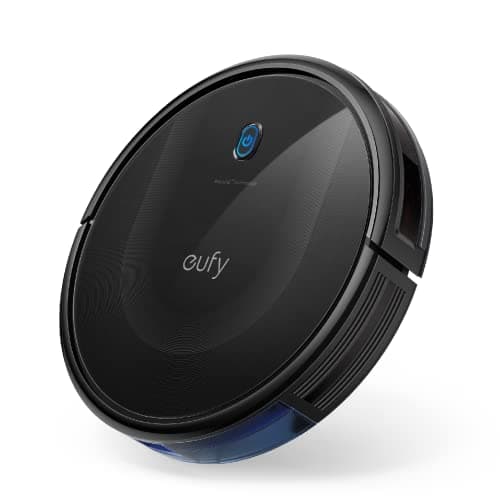
The eufy 11S MAX has no Wi-Fi and no app - eufy states this plainly on the listing. Everything happens from a remote control and two buttons. There is no account, no pairing step, no firmware update to break it and no cloud service that can be discontinued underneath it.
For someone buying a first robot vacuum for a parent, or for a household that would rather not add another connected device, that is not a limitation - it is the specification. At 2.85 inches it is also the slimmest machine on this site, so it reaches under furniture nothing else here clears. What you give up is everything a map provides: no zones, no room selection, no scheduling from your phone, and a run that ends when the battery does rather than when the floor is done.
Five things nobody tells a first-time buyer
It does not replace your vacuum. It changes the baseline state of your floor by running daily. You will still want an upright for carpet a few times a year, and expecting otherwise is the commonest reason people are disappointed.
Tidy the floor first, every time. Cables, socks and toys are what stop these machines, and under $300 almost nothing can see objects lying flat. Two minutes of tidying is the difference between a finished run and a rescue.
Run it daily, not weekly. These machines are maintenance devices. Daily on a low setting beats twice a week on maximum, and it is easier on the battery.
Clear the brush before it needs it. Hair wrap is the number one cause of a machine that seems to have lost suction. A minute a fortnight prevents it.
Check the dock has clearance. Most need a foot or two of clear floor either side to find their way home. A dock jammed behind a chair leg produces a machine that mysteriously fails to charge.
The cheapest sensible starting point
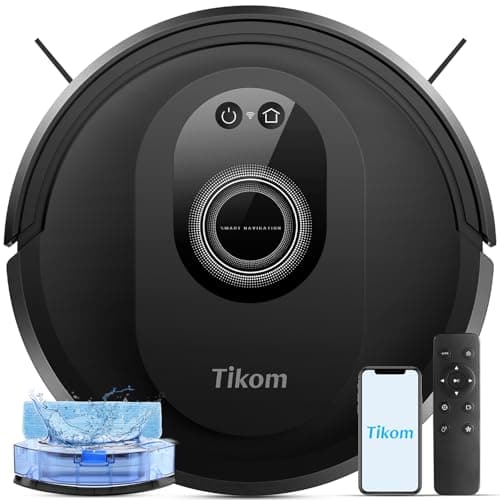
If your budget is genuinely tight, the Tikom G8000 Max is the honest floor for a first machine: 5,000Pa published, a 450 ml bin, up to 150 minutes, and four ways to control it including a physical remote - which matters if the app is the part you were dreading. It has no map, so treat it as a hard-floor maintenance machine for a small home rather than a whole-house solution.
Below that the machines stop being a bargain and start being a compromise you notice daily. Our under $150 band page is where that line sits, with live prices.
Charging only - no self-emptyingSource: Manufacturer listing
Recharge and resume
YesSource: Manufacturer listing
Wi-Fi
2.4 GHz required for setup and operationSource: Manufacturer listing
What it gets right
Real LiDAR mapping at $149 - two years ago this feature started around $400
Keep-out zones you draw in the app, which is the single most useful thing a map buys you
The Roomba app is the most mature in the category and the least likely to lose your map
Recharges and resumes, so a large floor plan is one job rather than three
What it gives up
iRobot publishes no absolute suction number. '70x the 600 series' is a comparison to a fifteen-year-old machine, not a specification
No self-emptying dock at this price - you empty the bin yourself
iRobot consumables cost more than the generic parts the budget brands use
Vacuum only. No mop, no water tank, no pretending otherwise
Our scoring
Suction6.0
Navigation8.0
Pet hair6.0
Running cost6.5
Setup8.5
Weights and the arithmetic behind the total are published on How we pick so you can recompute this yourself.
Who it is for: Someone who wants a map, an app that works, and a brand that will still be selling filters in five years.
Skip it if: you want a suction figure you can compare against anything else. If specifications are how you shop, a machine that refuses to publish one is a machine you cannot rank.
No Wi-Fi, no app, no account. A remote control and two buttons. For a specific kind of buyer that is the feature, not the limitation.
Published specifications
Suction
Not published on this listingSource: eufy states BoostIQ adjustment but no Pa figure for this ASIN
Navigation
Infrared obstacle sensing and drop sensors, no mappingSource: Manufacturer listing
Runtime
Up to 100 minutes on hardwoodSource: Manufacturer listing
Height
2.85 inSource: Manufacturer listing
Connectivity
None. No Wi-Fi and no app supportSource: Manufacturer listing
Brush
Single side brushSource: Manufacturer listing
What it gets right
2.85 inches is the slimmest machine in this entire field - it goes under furniture nothing else here clears
No app means no account, no firmware update that breaks it, and no cloud service to be discontinued
BoostIQ raises suction within 1.5 seconds when it meets carpet, without you asking
Tempered glass top, which after two years of being kicked under a sofa is not nothing
What it gives up
eufy publishes no Pa rating on this listing, so its headline capability is unrankable
No app also means no scheduling from your phone, no map, no room selection, no history
100 minutes is the shortest runtime here
A single side brush covers edges more slowly than a dual-brush machine
Our scoring
Suction5.5
Navigation3.0
Pet hair6.0
Running cost8.5
Setup9.0
Weights and the arithmetic behind the total are published on How we pick so you can recompute this yourself.
Who it is for: A small hard-floor home, or anybody buying for someone who will never open an app.
Skip it if: you want to start a clean from work, or you want a cleaning history. This machine deliberately does not connect to anything, and no update will change that.
5,000Pa published, which is more than several machines here costing twice as much
A 450 ml bin is large for this price - most sub-$150 machines fill up mid-run
Vacuums and mops in one pass rather than making you swap modules between runs
Four ways to control it, including a physical remote, which matters if the app is a fight
What it gives up
No mapping, so no no-go zones, no room selection and no resume-where-it-left-off
A conventional roller brush, so long hair does wrap and does need cutting out
The mop is a damp cloth dragged behind the machine, not a scrubbing head
No self-emptying, so the 450 ml bin is a job you do by hand
Our scoring
Suction7.0
Navigation3.5
Pet hair5.5
Running cost7.5
Setup8.0
Weights and the arithmetic behind the total are published on How we pick so you can recompute this yourself.
Who it is for: Hard floors, a tight budget, and someone who genuinely wants mopping rather than treating it as a bullet point.
Skip it if: you were hoping to draw no-go zones around a pet bowl or a cable nest. Without a map there is nothing to draw them on, and you will be putting up physical barriers instead.
Questions people actually ask
+−What is the best robot vacuum for a beginner?
The iRobot Roomba 105 Vac. It has genuine LiDAR mapping so it finishes a run and takes keep-out zones, the most mature app in the category, and a brand that will still sell parts for it in five years. You empty the bin yourself, which is the main trade.
+−Should a first robot vacuum have a self-emptying dock?
If you have a pet, yes - emptying a small bin twice a week is what makes people stop using the machine. Without a pet it is a convenience rather than a necessity, and it adds either a recurring bag cost or a larger dock footprint.
+−Do I need mapping on my first robot vacuum?
It is the single most useful thing to spend money on. A mapping machine cleans in rows, knows what it has covered, and lets you draw keep-out zones. A machine without a map wanders until the battery runs down, which in anything larger than one room means patchy coverage.
+−Are robot vacuums hard to set up?
Usually ten minutes, with one common snag: these machines need a 2.4 GHz Wi-Fi network, and a mesh router that hands them the 5 GHz band will make pairing fail. Brands with mature apps warn you about this; the rest leave you to find out.
+−Is a cheap robot vacuum a good first one?
Under about $150 you are buying a machine with no map, which is fine for a small hard-floor home and frustrating in anything bigger. The step that changes the experience is mapping, and it currently starts at about $149 - which is why we would not go lower for a first purchase.
+−What do you have to do to maintain one?
Empty the bin, clear hair off the brushes, tap out or rinse the filter, and wipe the sensors. Ten minutes a fortnight covers it. A self-emptying dock removes the bin from that list for weeks at a time, but nothing removes the brush.
Sources
Every specification quoted above was read off one of these documents on the date shown. Where a manufacturer does not publish a figure, this site says "Not published" rather than estimating it.