For most homes, yes - and the price has fallen so far that the question is nearly settled. For three specific kinds of home it genuinely is not, and one very common expectation of it is simply wrong.
By Scooter M., Enthusiast - published September 20, 2026
We have not tested these machines. Everything here comes from published specifications, manufacturer manuals and retailer listings, all cited below. Prices last verified September 21, 2026.
How this is funded: if you buy through a link here we may earn a commission, at no extra cost to you. It does not change which machines we recommend or what we say about them. Full disclosure.
Yes, for most homes - and the reason is price rather than performance. Laser mapping was a $400-and-up feature two years ago. Today the Lefant M330 Pro publishes dToF laser ranging at around $120 and the Roomba 105 Vac publishes ClearView LiDAR at $149. At that price the question is no longer whether mapping justifies a premium. It is whether you have a reason to actively avoid it, and there are three.
What follows is what a map actually changes in daily use, the one thing buyers expect from it that it does not do, and the homes where a cheaper non-mapping machine is the better purchase rather than the compromise.
#
Product
Best for
Score
Price
01
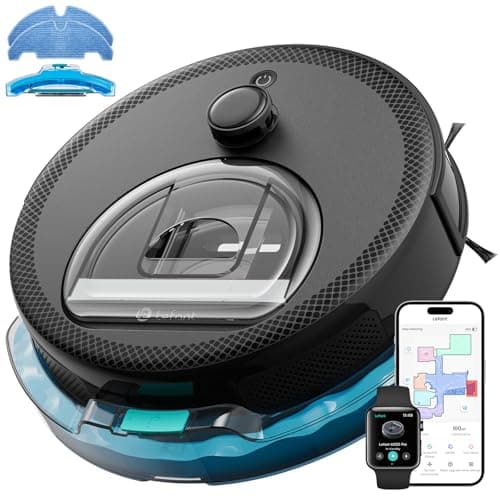
Lefant M330 ProPSD sensors that see cords and small objects, now with dToF mapping behind them. It publishes no suction figure at all, which is the trade.
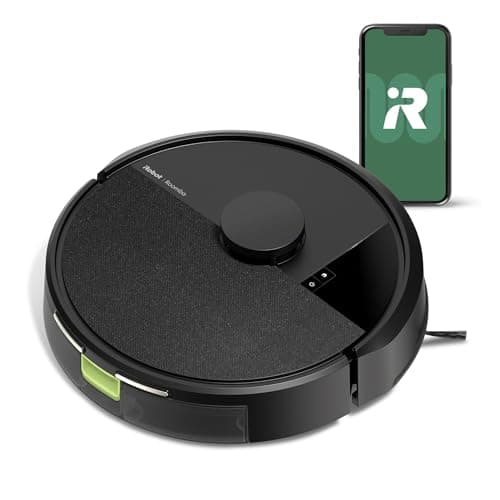
iRobot Roomba 105 VacThe lowest price at which you can buy genuine LiDAR mapping from a company that has been doing this for twenty years. It publishes no suction figure.
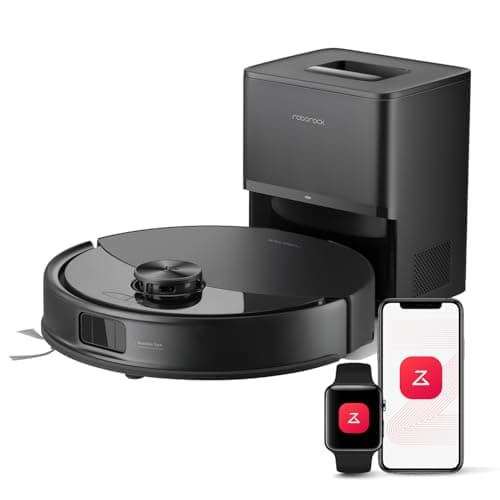
Roborock Q10 S5+The only machine under $300 that maps with LiDAR and sees obstacles with structured light. Everything else here is navigating half-blind.
The three machines we would buy for the map, and one we would buy specifically for not having one. Scores from the published rubric on How We Pick.
What a laser map actually buys you
There are four practical differences, and only one of them is about how clean the floor gets.
1. Keep-out zones
This is the one worth the money. Drawing a rectangle on a map and telling the machine never to go there solves problems nothing else solves: the dog's water bowl, the cable nest behind the desk, the fringed edge of a rug, the play mat with small parts on it. Without a map your only options are physical barriers or moving things before every run, and the whole point of the machine is not having to do that.
2. Room targeting
"Clean the kitchen" is a different product from "clean until the battery runs out". Once the machine knows which room is which, a two-minute spill becomes a two-minute job instead of a full cycle.
3. Systematic coverage instead of bouncing
A non-mapping machine covers a room by moving until it hits something and turning. Given enough time this works - it is genuinely effective in a small room - but the time it needs rises sharply with floor area, and there is no guarantee any particular patch was covered. A mapping machine drives in rows and knows what it has done. In a one-bedroom flat the difference is modest. Across 1,500 square feet it is the difference between finishing and not.
4. It works in the dark
A laser supplies its own light. Camera-based navigation does not, which is why some machines are much worse at night. If you want the robot to run at 3am, this matters and nothing else on the specification sheet tells you about it.
What LiDAR does NOT do, and this is where buyers get caught
Obstacle avoidance is a completely separate sensor system, and at this price it is rare. Only the Roborock Q10 S5+ publishes structured-light avoidance under $300; the Lefant M330 Pro publishes PSD detection of furniture, cords and small objects, which is a simpler approach to the same problem. Everything else in this range maps beautifully and bumps into whatever is lying around. We cover the different systems on obstacle avoidance.
The second thing a map does not do is clean better. Suction, brush design and whether the machine boosts on carpet are unaffected by navigation. A well-mapped machine with a weak brush is a well-organized machine with a weak brush. If your problem is pet hair or carpet, spend the money on brush geometry instead.
What laser mapping costs today
Machine
Navigation as published
Rough tier
Also publishes obstacle detection?
Lefant M330 Pro
dToF laser ranging to 15 m, multi-floor mapping
Cheapest mapping on this site
Yes - PSD detection of furniture, cords, small objects
Roomba 105 Vac
ClearView LiDAR with keep-out zones
Low
No
Roomba 105 Combo
ClearView LiDAR with keep-out zones
Low-mid
No
Lefant N3
LiDAR plus dToF sensors, detection to 10 m
Mid
No
Lefant M3
360-degree LiDAR, multi-floor, FreeMove Tech 3.0
Upper-mid
Stated as FreeMove Tech 3.0 avoidance
Tikom L8000 Plus
360-degree LiDAR, up to 5 saved maps
Upper
No
Roborock Q7 M5+
PreciSense LiDAR, real-time mapping
Upper
No
Roborock Q10 S5+
PreciSense LiDAR, 360-degree, multi-level
Upper
Yes - ReactiveTech structured light
dToF is direct time-of-flight laser ranging. It is the same family of technology as a spinning LiDAR turret and gives you the same kind of map; the sensor sits in the body rather than on a raised turret, which is why the M330 Pro is also the thinnest mapping machine here.
Eight of the machines on this site map. That is the real answer to "is it worth it" - it has stopped being a premium feature and become the default, and the machines that do not map are now the ones that need a reason.
Three homes where we would skip it
A studio or one-room flat
A bouncing machine covers a small space thoroughly given twenty minutes, and you are unlikely to need room targeting in a home with one room. The saving is real and the loss is small.
A home where nobody will open an app
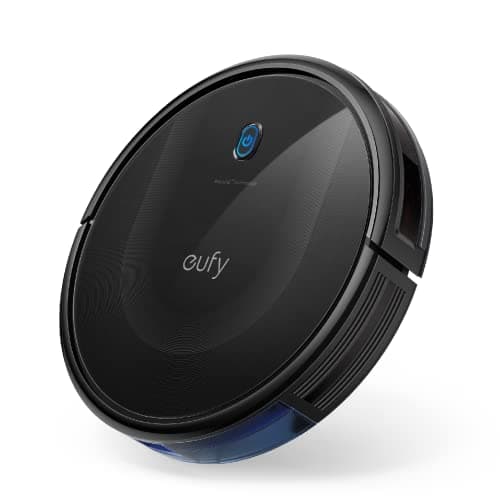
A map is only useful if somebody draws zones on it. If the machine is for a household that wants to press a button, mapping is a feature that will never be used, and the eufy 11S MAX - which has no Wi-Fi at all, and therefore no account, no cloud service and nothing to be orphaned by a firmware update - is a deliberate choice rather than a downgrade. That case is made properly on no-Wi-Fi robot vacuums.
A floor with a lot of clutter on it
This is the counter-intuitive one. If your floor always has things on it, mapping alone will disappoint you, because the map is not what the machine keeps failing on. Either spend up to a machine that publishes obstacle detection as well, or accept that you will tidy before a run - in which case a cheaper non-mapping machine does the same job.
The short version
Over about 800 square feet, or more than one room: buy the map. It is the difference between systematic coverage and hoping.
If you want keep-out zones: buy the map. There is no other way to get them, and they are the feature owners end up valuing most.
If your home is one room, or the app will never be opened: skip it and put the money into suction or brush design.
If the floor is cluttered: the map is not your problem. Look for published obstacle detection, or tidy first and save the money.
Every pick, in detail
#1 - Best obstacle avoidance under $150Score 7.5/10
PSD sensors that see cords and small objects, now with dToF mapping behind them. It publishes no suction figure at all, which is the trade.
Published specifications
Suction
Not published as Pa. Three modes: Quiet, Standard, MaxSource: Manufacturer listing
Navigation
dToF navigation scanning to 15 m, with multi-floor mapping and route planningSource: Manufacturer listing
Obstacle avoidance
PSD (position sensitive device) detection of furniture, cords and small objectsSource: Manufacturer listing
Runtime
Up to 150 minutesSource: Manufacturer listing
Dustbin / water tank
450 ml visible dustbin, 200 ml refillable tank with a washable padSource: Manufacturer listing
Height
95 mm (3.7 in)Source: Manufacturer listing
Carpet handling
Avoids carpet in mop mode, boosts suction when vacuuming itSource: Manufacturer listing
Wi-Fi
Dual band, 2.4 GHz and 5 GHzSource: Manufacturer listing
What it gets right
PSD avoidance is named for the objects it detects - furniture, cords and small items - which almost nothing else at this price claims
dToF mapping with multi-floor maps, at a price where most machines still have no map at all
An anti-tangle suction port rather than a roller, so there is nothing for hair to wrap around
A 450 ml visible bin, so you can see when it needs emptying instead of guessing
What it gives up
No published Pascal figure anywhere on the listing, so its headline capability cannot be compared with anything
At 95 mm it is taller than the slimmest machines here and will not clear the lowest furniture
The mop is a washable pad on a 200 ml tank - maintenance mopping, not scrubbing
No self-emptying dock, so the bin is yours to empty
Our scoring
Suction5.5
Navigation8.5
Pet hair7.5
Running cost8.5
Setup8.0
Weights and the arithmetic behind the total are published on How we pick so you can recompute this yourself.
Who it is for: A cluttered hard-floor home where cords and toys stop the machine more often than dirt does.
Skip it if: you shop on suction figures. Lefant publishes none for this machine, so on a specification-led ranking it is unverifiable exactly where you would want a number.
Charging only - no self-emptyingSource: Manufacturer listing
Recharge and resume
YesSource: Manufacturer listing
Wi-Fi
2.4 GHz required for setup and operationSource: Manufacturer listing
What it gets right
Real LiDAR mapping at $149 - two years ago this feature started around $400
Keep-out zones you draw in the app, which is the single most useful thing a map buys you
The Roomba app is the most mature in the category and the least likely to lose your map
Recharges and resumes, so a large floor plan is one job rather than three
What it gives up
iRobot publishes no absolute suction number. '70x the 600 series' is a comparison to a fifteen-year-old machine, not a specification
No self-emptying dock at this price - you empty the bin yourself
iRobot consumables cost more than the generic parts the budget brands use
Vacuum only. No mop, no water tank, no pretending otherwise
Our scoring
Suction6.0
Navigation8.0
Pet hair6.0
Running cost6.5
Setup8.5
Weights and the arithmetic behind the total are published on How we pick so you can recompute this yourself.
Who it is for: Someone who wants a map, an app that works, and a brand that will still be selling filters in five years.
Skip it if: you want a suction figure you can compare against anything else. If specifications are how you shop, a machine that refuses to publish one is a machine you cannot rank.
2.7 L bag, manufacturer states up to 70 daysSource: Manufacturer listing
Mopping
Sonic vibration mopping, up to 3,000 scrubs per minute, lifts up to 8 mm on carpetSource: Manufacturer listing
Carpet handling
Ultrasonic detection, raises the mop and increases suctionSource: Manufacturer listing
Anti-tangle
JawScrapers main brush plus anti-tangle side brushSource: Manufacturer listing
What it gets right
Structured-light obstacle avoidance is the single feature that separates a machine that finishes from one you rescue. Nothing else under $300 has it
A mop that lifts 8 mm means it can do hard floors and carpet in one run without wetting a rug
3,000 scrubs a minute is an actual scrubbing mechanism, not a damp pad
10,000Pa, dual anti-tangle brushes, multi-level maps - it gives up almost nothing to a $600 machine
What it gives up
The most expensive machine on this site, and it sits close to the ceiling
2.7 L bags are a recurring cost, and 70 days is mid-pack
The dock does not wash the mop - you rinse the pad yourself
2.4 GHz Wi-Fi only, which is an annoyance on a mesh network
Our scoring
Suction9.0
Navigation9.0
Pet hair8.5
Running cost6.5
Setup8.0
Weights and the arithmetic behind the total are published on How we pick so you can recompute this yourself.
Who it is for: A mixed-floor home with pets, clutter and rugs - the situation every other machine here handles by giving something up.
Skip it if: your floors are entirely hard and entirely tidy. Structured-light avoidance and an 8 mm mop lift are what you are paying the premium for, and a bare hard-floor flat uses neither.
No Wi-Fi, no app, no account. A remote control and two buttons. For a specific kind of buyer that is the feature, not the limitation.
Published specifications
Suction
Not published on this listingSource: eufy states BoostIQ adjustment but no Pa figure for this ASIN
Navigation
Infrared obstacle sensing and drop sensors, no mappingSource: Manufacturer listing
Runtime
Up to 100 minutes on hardwoodSource: Manufacturer listing
Height
2.85 inSource: Manufacturer listing
Connectivity
None. No Wi-Fi and no app supportSource: Manufacturer listing
Brush
Single side brushSource: Manufacturer listing
What it gets right
2.85 inches is the slimmest machine in this entire field - it goes under furniture nothing else here clears
No app means no account, no firmware update that breaks it, and no cloud service to be discontinued
BoostIQ raises suction within 1.5 seconds when it meets carpet, without you asking
Tempered glass top, which after two years of being kicked under a sofa is not nothing
What it gives up
eufy publishes no Pa rating on this listing, so its headline capability is unrankable
No app also means no scheduling from your phone, no map, no room selection, no history
100 minutes is the shortest runtime here
A single side brush covers edges more slowly than a dual-brush machine
Our scoring
Suction5.5
Navigation3.0
Pet hair6.0
Running cost8.5
Setup9.0
Weights and the arithmetic behind the total are published on How we pick so you can recompute this yourself.
Who it is for: A small hard-floor home, or anybody buying for someone who will never open an app.
Skip it if: you want to start a clean from work, or you want a cleaning history. This machine deliberately does not connect to anything, and no update will change that.
Questions people actually ask
+−Is LiDAR worth it on a robot vacuum?
For most homes, yes - mainly because it is now cheap. Laser mapping starts at about $120 on the Lefant M330 Pro and $149 on the Roomba 105 Vac, so it is no longer a premium you weigh up. It buys keep-out zones, room targeting, systematic coverage and the ability to run in the dark.
+−Does LiDAR help a robot vacuum avoid obstacles?
Not the ones on the floor. A LiDAR turret scans in a horizontal plane and sees walls and furniture, not socks, cables or toys lying below that plane. Obstacle avoidance is a separate sensor system, and under $300 only the Roborock Q10 S5+ publishes structured light for it.
+−What is the cheapest robot vacuum with LiDAR?
On this site, the Lefant M330 Pro at around $120, which publishes dToF laser ranging to 15 meters with multi-floor mapping. The Roomba 105 Vac at $149 is the cheapest from a major established brand.
+−Is dToF the same as LiDAR?
Same family. Direct time-of-flight sensors measure distance with a laser pulse exactly as a LiDAR turret does, and produce the same kind of map. The practical difference is packaging - a dToF sensor can sit inside the body instead of on a raised turret, which is why the machines using it tend to be thinner.
+−Do you need LiDAR for a small apartment?
No. A non-mapping machine covers a single room thoroughly if you give it time, and room targeting is not much use in a home with one room. Below about 800 square feet the saving is worth more than the map.
+−Does a mapping robot vacuum clean better?
It covers better, which is not the same thing. Suction, brush design and carpet boost decide how clean the floor gets, and none of them is affected by navigation. A map means the machine reaches everywhere systematically rather than by chance.
Sources
Every specification quoted above was read off one of these documents on the date shown. Where a manufacturer does not publish a figure, this site says "Not published" rather than estimating it.
Navigation audit across the range, 2026-09-20Every machine on this site was re-read from its live listing for the navigation and obstacle-detection wording quoted in the table above.